Your FAQ page is one of the hardest-working pages on your website. While you sleep, it answers the same questions you've typed out dozens of times. It handles objections before they become deal-breakers. It filters out tyre-kickers and reassures serious buyers. And it does all of this without you lifting a finger.
Most micro-business owners treat FAQs as an afterthought—a dumping ground for random questions about opening hours and parking. But a properly structured FAQ page is a conversion asset. It shortens your sales cycle, reduces time-wasting enquiries, and builds trust with prospects who are on the fence.
The good news? You don't need to be a copywriter to create one. You already know the questions—they're sitting in your inbox, your DMs, and your discovery call notes. You just need to structure them properly and write answers that actually move people forward.
This guide walks you through creating a conversion-focused FAQ page in 30 minutes, using the questions you're already answering every day.
Jump to:
Quick Start (30 Minutes)
If you need your FAQ page live today, follow these five steps. You can always refine it later.
The 5-Step Quick Method
Step 1: List Your Top 5 Questions
Open your email. Scroll through the last month of enquiries. What questions appear repeatedly? Focus on questions about pricing, process, timing, or guarantees—not "Where are you located?" (that belongs on your contact page).
Step 2: Write Short, Clear Answers
For each question, write a 2-3 sentence answer. No jargon. No corporate waffle. Imagine you're replying to a friend who's asked you this question for the tenth time.
Step 3: Add Internal Links
If an answer references one of your services, link to that service page. If you mention a guarantee, link to your clearly articulated offer or guarantee page.
Step 4: Add a Final CTA
At the bottom of your FAQ page, add a simple call to action: "Ready to get started? [Book a call]" or "Still have questions? [Contact us here]."
Step 5: Publish It
Create a new page called "FAQ" or "Help" in your website builder. Paste your content. Add it to your footer menu and link to it from your contact page.
✅ Completed the quick version? Move on to Add a Portfolio/Case Study Page or continue below for the detailed walkthrough.
Complete Step-by-Step Guide: Structuring Your Conversion FAQ
The quick version gets your FAQ page live. This section shows you how to turn it into a conversion asset that actively moves prospects towards a sale.
Step 1: Gather Questions from the Field (The Gold Mine)
Your best FAQ content isn't invented—it's collected.
Where to find your questions:
- •Email enquiries from the last 3 months
- •Questions asked during discovery calls or consultations
- •Comments on social media posts
- •Messages in your DMs
- •Questions from friends and family when you explain what you do
What you're looking for:
Questions that reveal friction. These are questions that, if left unanswered, stop someone from buying:
- •"How long does it take?"
- •"What if I'm not happy with the result?"
- •"Do I need to provide anything?"
- •"How much does it cost?"
Ignore purely logistical questions unless they're deal-breakers. "What are your opening hours?" belongs on your contact page, not your FAQ.
Pro tip: Research What Your Customers Actually Search For to identify common customer questions you might not have received yet.
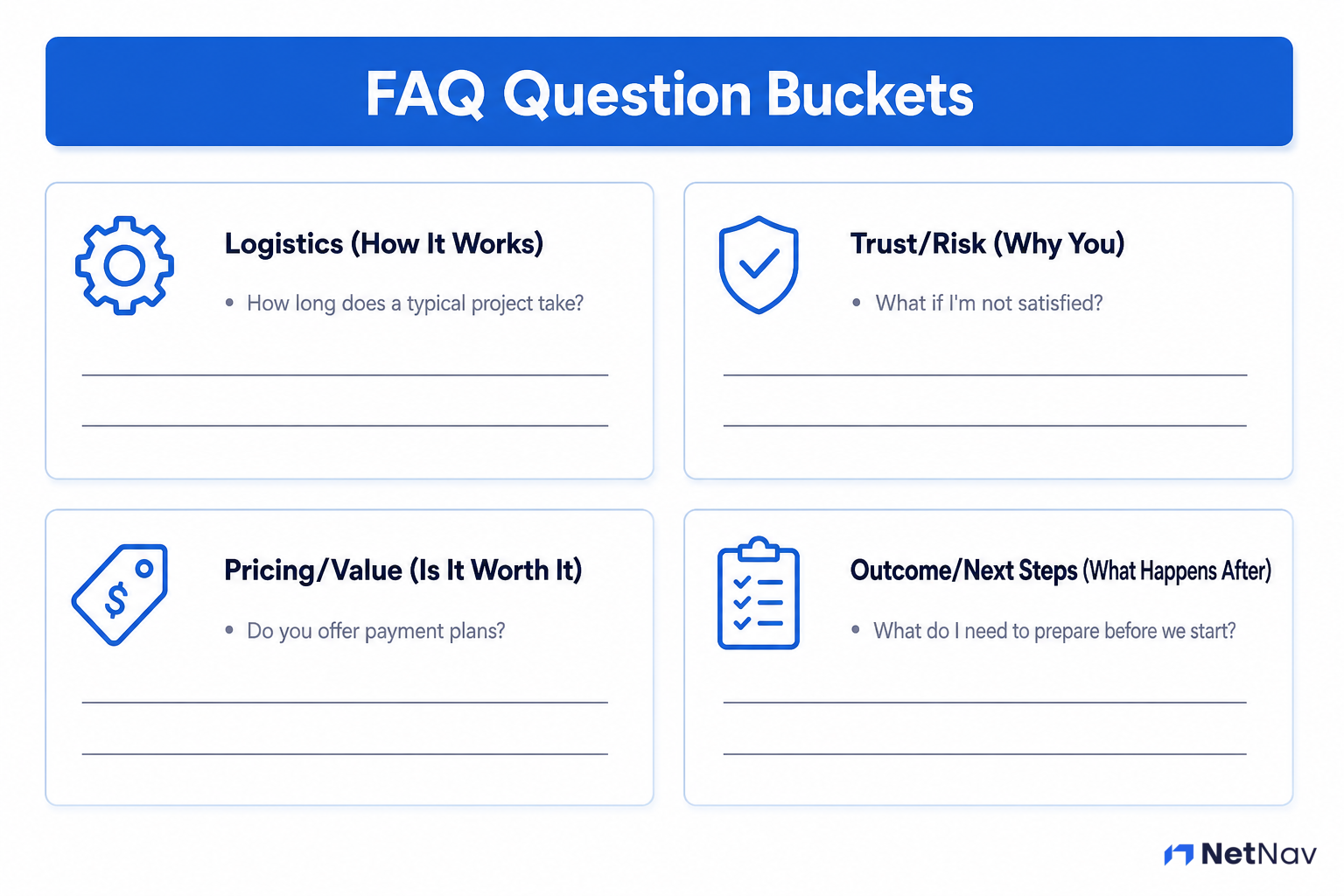
Step 2: Classify Questions into 4 Essential Buckets
Not all questions are equal. Organise yours into these four categories:
Bucket 1: Logistics (How It Works)
Process, timing, delivery, what's included.
Example: "How long does a typical project take?"
Bucket 2: Trust/Risk (Why You)
Credentials, guarantees, what happens if something goes wrong.
Example: "What if I'm not satisfied with the result?"
This is where addressing risk and providing a guarantee becomes critical.
Bucket 3: Pricing/Value (Is It Worth It)
Cost, payment terms, what's included vs. what's extra.
Example: "Do you offer payment plans?"
Bucket 4: Outcome/Next Steps (What Happens After)
Onboarding, ongoing support, what the client needs to do.
Example: "What do I need to prepare before we start?"
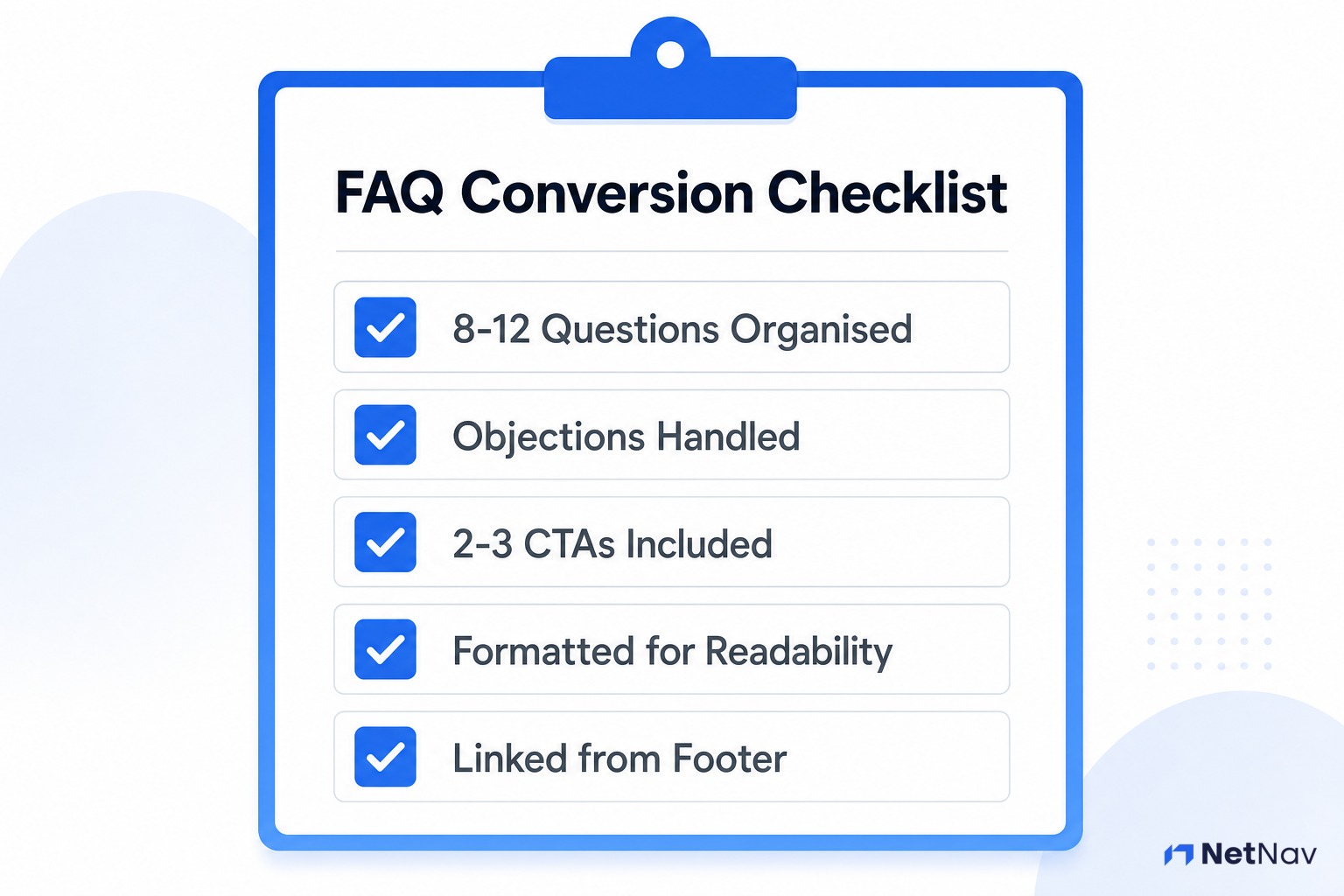
Aim for 2-3 questions per bucket. That gives you 8-12 total—enough to be useful without overwhelming visitors.
Step 3: Write Objection-Handling Answers (Be the Solution)
This is where most FAQ pages fail. They answer the literal question but ignore the underlying concern.
Example of a weak answer:
Q: How long does it take?
A: Usually 2-3 weeks.
Example of an objection-handling answer:
Q: How long does it take?
A: Most projects are completed within 2-3 weeks from our kickoff call. We'll give you a detailed timeline during onboarding so there are no surprises. If you have a hard deadline, let us know upfront—we can often accommodate rush projects.
See the difference? The second answer addresses the real concern (uncertainty and flexibility) and offers a solution (rush projects).
Writing formula:
- Answer the literal question (1 sentence)
- Address the underlying concern (1 sentence)
- Offer reassurance or a next step (1 sentence)
Key principles:
- •Write in second person ("you'll receive," not "clients receive")
- •Use specific numbers and timeframes where possible
- •Link to relevant pages (service pages, guarantee pages)
- •End with confidence, not apology
For questions about trust and credibility, reference your build instant trust signals and any guarantees you offer.
Step 4: Power-Up the Page with Conversion CTAs
Your FAQ page shouldn't be a dead end. After every 3-4 questions, insert a soft call to action.
Examples:
- •"Ready to get started? [Book your free consultation]"
- •"Still have questions? [Send us a message]"
- •"Want to see examples of our work? [View our portfolio]"
These CTAs should feel natural, not pushy. You're offering a logical next step for someone who's just had their concerns addressed.
At the bottom of the page, include a stronger final CTA:
"Got the answers you needed? Let's talk about your project. [Get in touch today]."
Learn how to craft these effectively in powerful calls to action.
Step 5: Format for Maximum Readability
Even brilliant answers are useless if they're hard to read.
Best practices:
- •Use H3 headings for each question
- •Keep answers to 3-4 sentences maximum
- •Use bullet points for lists within answers
- •Consider an accordion layout (collapsible answers) for mobile users
- •Add white space between question groups
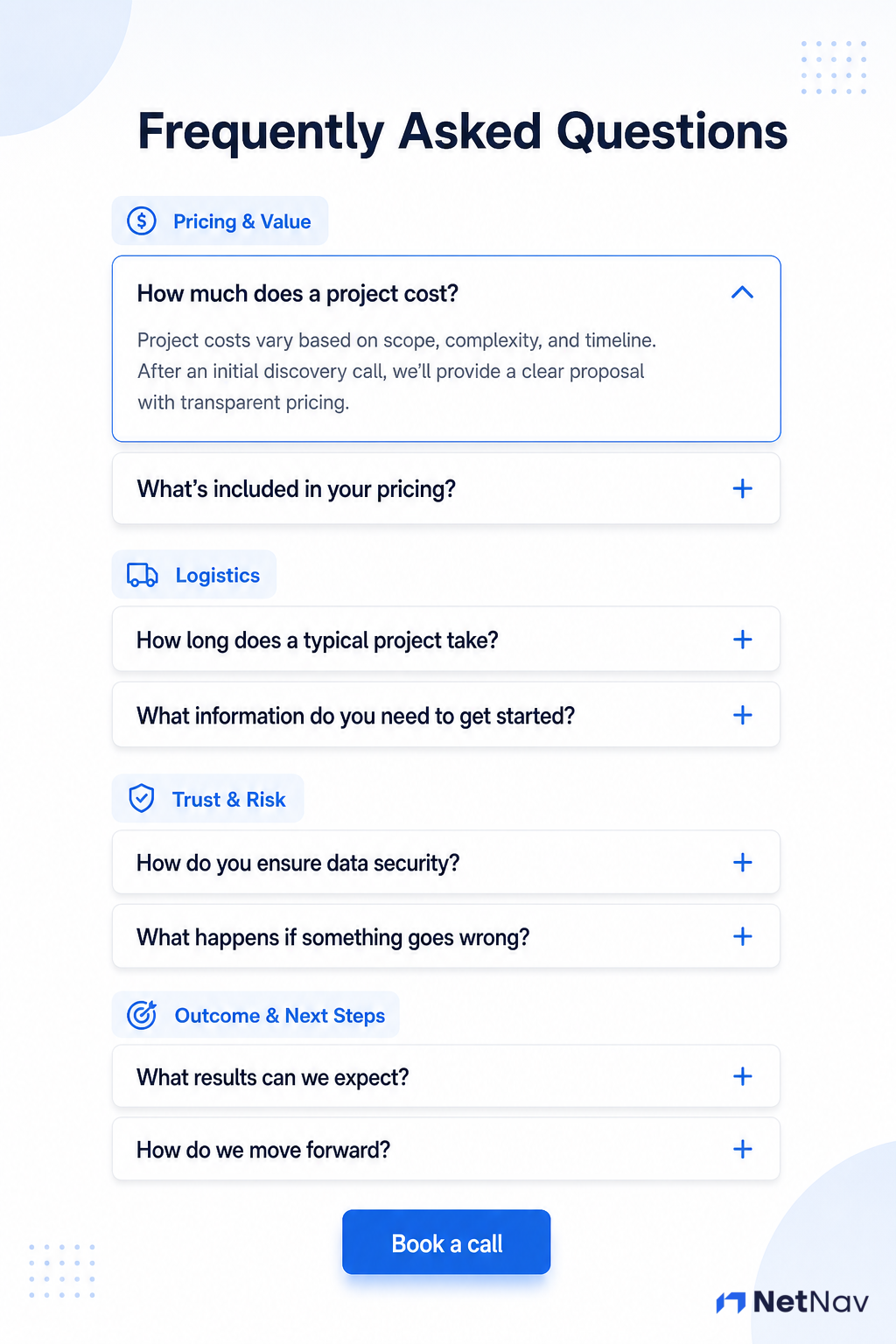
Most website builders (WordPress, Squarespace, Wix) have built-in accordion blocks. If yours doesn't, use clear H3 headings and short paragraphs.
For more on making your page visually appealing, see clean formatting and design principles.
Real Example: A Complete FAQ Page
Here's what all of this looks like put together—a full FAQ page for a fictional design studio, "Riverside Design Co.," using the four-bucket structure and the objection-handling formula from this guide. Adapt the structure, not the specifics, to your own business.
Pricing & Value
How much does a project cost? Most projects start at £1,200, depending on scope—you'll get a fixed quote before we begin, so there are no surprises partway through. If budget is tight, ask about our 3-month payment plan when we talk.
Do you offer payment plans? Yes—most clients split their project into two or three payments tied to project milestones, not arbitrary dates. We'll set this up during your quote if it's useful to you.
Logistics
How long does a typical project take? Most projects are completed within 2-3 weeks from our kickoff call. You'll get a detailed timeline during onboarding so there are no surprises. If you have a hard deadline, tell us upfront—we can often accommodate rush work.
What does the process actually look like? Kickoff call, a first draft within a week, one round of revisions, then final delivery. You'll always know what stage you're at and what's coming next.
Trust & Risk
What if I'm not happy with the result? We include two rounds of revisions in every project, and most clients are happy well before that. If it's still not right, we'll refund your deposit—no hard feelings.
Have you done this kind of project before? We've completed over 80 projects for small businesses in the last three years—see examples on our portfolio page.
Outcome & Next Steps
What do I need to prepare before we start? Just a short brief and any existing brand materials you have—logo, colors, past designs. We'll walk you through exactly what's needed on your kickoff call, so don't worry about having it all figured out in advance.
What happens after the project is delivered? You'll get all final files in the formats you need, plus 30 days of email support for any small tweaks. After that, we're always here if you want to come back for more work.
Got the answers you needed? Book your free consultation and let's talk about your project.
Why this specific example works as the model: every answer follows the guide's own three-part formula (literal answer, underlying concern, reassurance or next step) and stays under the guide's own 50-word target—so it doubles as a second, fuller demonstration of the technique already taught, not just decoration.
Step 6: Publish and Integrate
Your FAQ page needs to be easy to find.
Where to link it:
- •Footer menu (every page)
- •Contact page (above or below the form)
- •Service pages (where relevant)
- •Homepage (if space allows)
Add it to your main navigation if you have room, but the footer is non-negotiable.
Final integration checklist:
- •Page title is clear ("FAQ" or "Frequently Asked Questions")
- •URL is simple and correctly chosen (see below)
- •Page is indexed (not hidden from search engines)
- •All internal links work
- •Mobile layout is readable
What should you actually name this page?
Default to `/faq` (or `/faqs`—pick one and match how the rest of your site pluralizes). It's the pattern people actually guess-type and the one Google and AI search tools expect for this kind of content.
Avoid `/help` or `/support` for this page specifically—those signal post-purchase troubleshooting to a visitor, not the pre-sale objection-handling this guide is about. If you ever build a genuine help centre later, keep it separate from this page rather than merging them.
Keep the URL flat and shallow (`/faq`, not buried three folders deep)—this page is meant to be linked from everywhere, and a short path is easier to link and remember.
Make sure you link it clearly from your homepage structure as well.
🎉 Completed? You've built a valuable objection-handling asset. You're ready for Add a Portfolio/Case Study Page.
What About FAQs on Other Pages?
As your site grows, you'll likely want a few questions on individual service or product pages too—not just this central page (see the glossary definition of an FAQ page). That's fine, but keep the roles separate:
- •This page (your central FAQ) handles broad, cross-cutting questions: general pricing structure, your overall process, your guarantee.
- •A service or product page can carry 2-3 questions genuinely specific to that one offer—something that wouldn't make sense to a visitor who isn't looking at that specific page.
Don't copy the same questions onto both. If a question is general enough to apply across your business, it belongs here, with a simple link from the service page ("See more common questions"). If you repeat identical questions and answers in multiple places, you create a maintenance problem (update it in one spot, forget the others) and risk diluting rather than reinforcing your SEO signal—including if you've added FAQ schema markup to more than one page with the same content.
Troubleshooting
What's Next
You've created a page that handles objections and answers questions 24/7. Now it's time to add proof that you can actually deliver.
Next Step: Add a Portfolio/Case Study Page
Show potential clients what you've done and the results you've achieved.
Go Deeper
Want to refine your FAQ page further? These guides will help:
- •Anatomy of a High-Converting Homepage – For a full guide on conversion-focused copy structure, see this analysis of how pages should flow.
Other Get Online Guides
- •Plan Your Website Structure in 30 Minutes
- •Lay Out Your Services Clearly
- •Set Up a Blog Section (And Why You Might Need One)
- •Add Simple Usable Forms to Your Website
- •Trust Signals That Make You Look Professional
Ready to Audit Your Entire Site?
You've completed creating this essential content page. NetNav can audit your entire site across 9 pillars in 60 seconds—see exactly what else needs attention before launching your site.